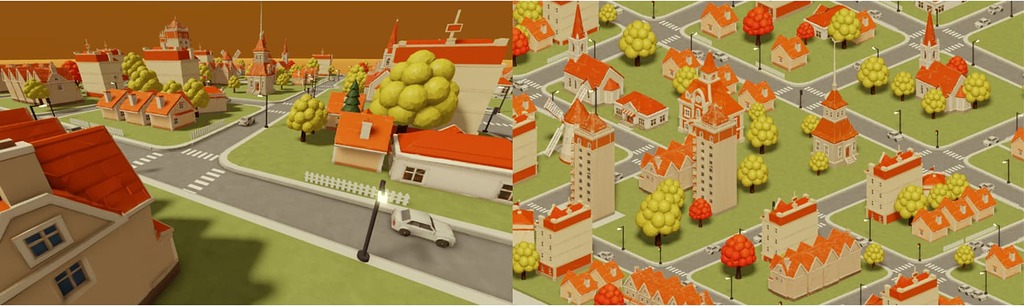
Roblox's Orthographic Camera is in Studio Beta, so you can build 2D, isometric, and top-down games where distant objects don't shrink.
How to try it: In Studio, go to File > Beta Features, enable Orthographic Camera, then set Camera.ProjectionType to Orthographic on the Camera under Workspace.
Zoom: Change OrthographicSize (default 35 studs) to zoom, since moving the camera no longer changes how big things look.
Limits: It's Studio-only for now, so published games can't use it yet. It's not supported in VR, sun shadows aren't correct yet, and ViewportFrame minimaps aren't supported.
Existing games: ProjectionType defaults to Perspective, so nothing changes unless you switch.
Sign in to comment.
TL;DR of the post, generated automatically.
Roblox's Orthographic Camera is in Studio Beta, so you can build 2D, isometric, and top-down games where distant objects don't shrink.